
Recovering Lost Crypto Assets from Hardware Wallets: [Tested Steps]
To recover lost crypto assets from a broken or wiped hardware wallet, you must input your exact 12 or 24-word recovery seed phrase into a new, compatible device. This phrase acts as a master key, instantly restoring your full access to the blockchain.
The Cold Sweat of a Blank Screen
You sit down at your desk, plug your expensive hardware wallet into your laptop, and stare at the tiny screen. You type your PIN code carefully, just like you have done a hundred times before. The screen flashes a terrible message: "Invalid PIN. Two attempts remaining."
Your heart starts racing. You try again, pressing the tiny buttons with shaking fingers. "Invalid PIN. One attempt remaining." Suddenly, you feel a cold drop of sweat slide down your neck. You realise that one more mistake will trigger a factory wipe, completely erasing your access to a portfolio you spent years building.
The device resets itself. The screen goes black, and then it asks you to set up a new account. The absolute terror of losing thousands of dollars in a matter of seconds is suffocating. You start wondering if your financial future just vanished into the digital void.
I am here to tell you to take a deep breath. Stop staring at the blank screen and put the device down. The cryptocurrency industry is intimidating, and the technology feels incredibly fragile when things go wrong. However, your money is not actually inside that little plastic stick. I am going to show you exactly how this technology works so you can retrieve every single coin safely.

Decoding the Mechanics of Digital Ownership
To stop the panic, you have to unlearn how traditional money works. If you drop your physical leather wallet in a river, the cash inside is destroyed. Digital assets operate on a completely different set of physical rules.
Your Bitcoin or Ethereum does not live inside your hardware device. The coins exist permanently on the public blockchain, a massive digital ledger spread across thousands of computers globally.
Your hardware wallet is just a highly secure keychain. It holds your "private keys", which prove to the network that you own those specific coins. If you lose the physical keychain, your coins are still sitting perfectly safe inside the blockchain vault. You just need to forge a new master key.
The Lifeline: Your Seed Phrase
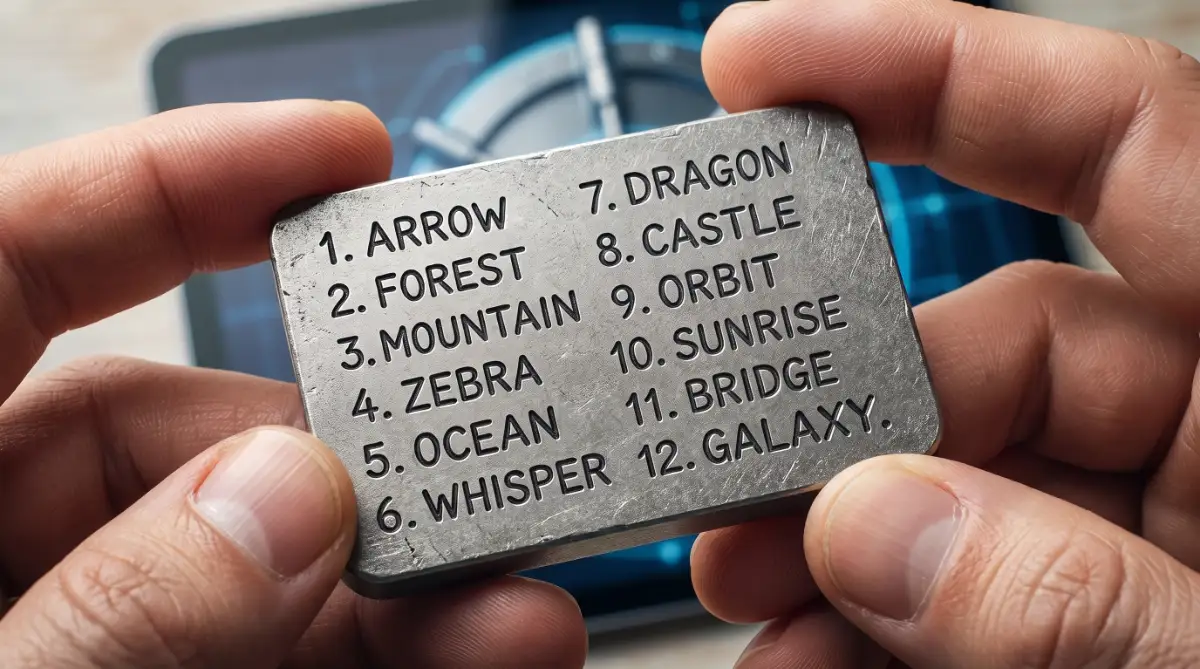
When you first set up your device, it forced you to write down a list of 12 or 24 random English words. This list is called your recovery seed phrase.
This string of words is the absolute master backup for your private keys. The entire crypto industry uses a standardised mathematical formula to generate these words.
If your hardware device gets crushed by a car, drops in a lake, or wipes its memory, that piece of paper is your only lifeline. As long as you have those words written down in the exact correct order, you have lost absolutely nothing.
Executing the Safe Restoration Process
You cannot simply type your seed words into a random website to get your money back. Doing that will result in instant theft. You must buy a brand-new, factory-sealed hardware wallet directly from the official manufacturer.
Plug the new device into the wall. When the screen powers on, it will ask if you want to set up a new wallet or restore an existing one. Select the "Restore" option.
The device will prompt you to enter your seed words one by one using the physical buttons on the hardware. It is a slow, tedious process. Take your time and double-check spelling. Once the final word is entered, the device calculates the mathematics and connects to the blockchain, and your entire portfolio will instantly reappear on your screen.
Losing access to your assets often causes people to panic and make terrible decisions late at night. Trying to restore a wallet while exhausted is a massive mistake. Getting proper sleep and knowing exactly how screen time impacts your metabolism ensures you approach high-stress financial situations with a clear, sharp mind.
Expert Strategies for Complex Recoveries
Sometimes, entering the correct words does not bring your portfolio back immediately. You might see a zero balance, which triggers a secondary wave of panic.
Do not throw the device across the room. A zero balance usually points to a software mismatch, not stolen funds. Professional asset recovery experts look for a specific technical glitch called a "derivation path error".
Fixing Derivation Path Mismatches
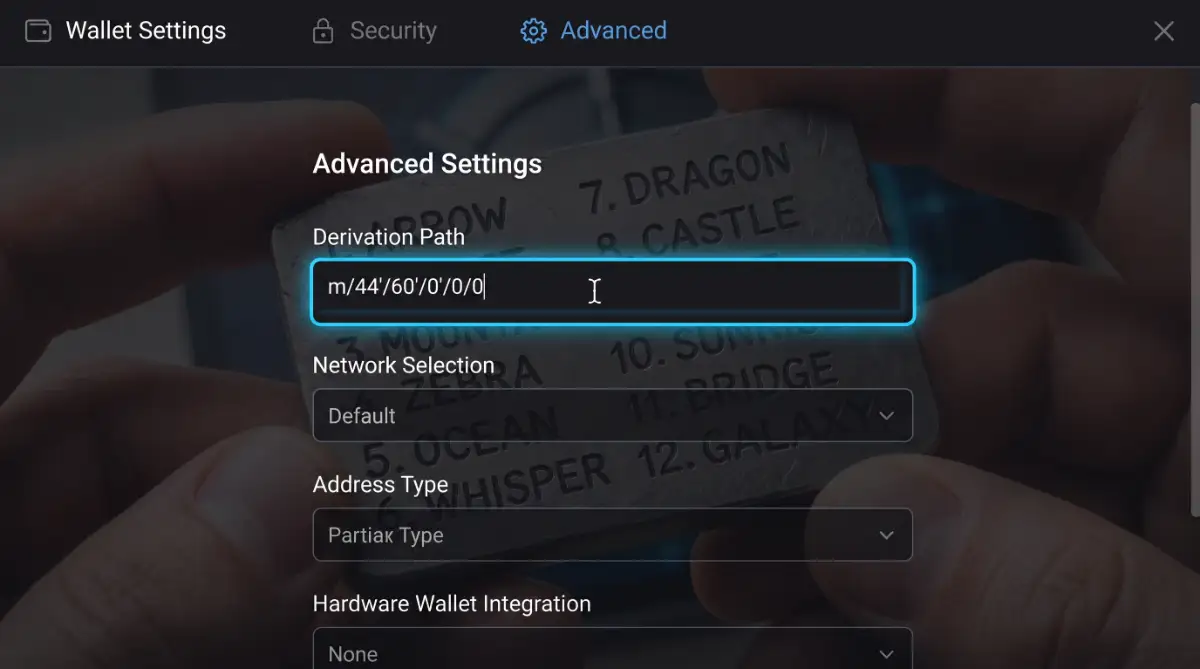
A derivation path is essentially a digital map. It tells the hardware wallet exactly which specific digital folders to open to find your coins.
If you originally created your wallet on an old software standard, and your new device uses a modern standard, the device is simply looking in the wrong folder. The coins are there, but the map is pointing to an empty room.
You can fix this by going into the advanced settings of your wallet interface software. You manually type in the older "Legacy" derivation path. Once the software updates the map, your hidden coins will suddenly populate on the screen.
For highly technical documentation on how these specific word lists map to private keys, the Bitcoin Developer Documentation on BIP39 outlines the exact mathematical architecture used globally.
The Hidden 25th Word (Passphrase) Mechanics
Many advanced users add a custom "25th word" to their recovery phrase for extra security. This is legally known as a BIP39 passphrase.
If you set up a custom passphrase three years ago and forgot about it, entering your standard 24 words will open a completely empty wallet. The 25th word physically alters the mathematics, creating an entirely separate hidden vault.
You must enter the standard words first, navigate to the passphrase settings on the device, and type your custom word exactly as you created it. A capital letter or a single space will completely change the vault destination.
Failing to document these advanced security features creates a massive mess for your family if something happens to you. Leaving behind a messy digital estate is highly similar to the silent tax traps destroying life insurance payouts. You think you are protecting your wealth, but your lack of clear instructions ends up permanently locking your loved ones out of the money.
The Fatal Errors That Guarantee Permanent Loss
The crypto space is incredibly unforgiving. When you are desperate to recover your funds, you become the perfect target for sophisticated scammers.
The absolute most destructive mistake you can make is typing your 24-word seed phrase onto your computer keyboard.
If you type those words into a text document, a cloud note app, or a fake recovery website, you expose them to the internet. Hackers actively use silent malware, known as keyloggers, to record everything you type.
The Customer Support Illusion
Another devastating trap involves fake customer service agents. If you post a frantic question on a social media forum asking for hardware help, your inbox will flood with direct messages.
These messages look highly professional. They use company logos and speak in technical jargon. They will ask you to visit a specific "secure portal" and enter your seed phrase to "resync your node".
There is no such thing as resyncing a node with a seed phrase. The moment you type those words into their website, a script drains your wallet instantly. The transaction cannot be reversed by anyone on earth.
To understand how easily malware captures typed data, security firms like Kaspersky publish extensive threat reports explaining how keyloggers silently operate in the background of everyday computers.
Digital Photos and Cloud Backups
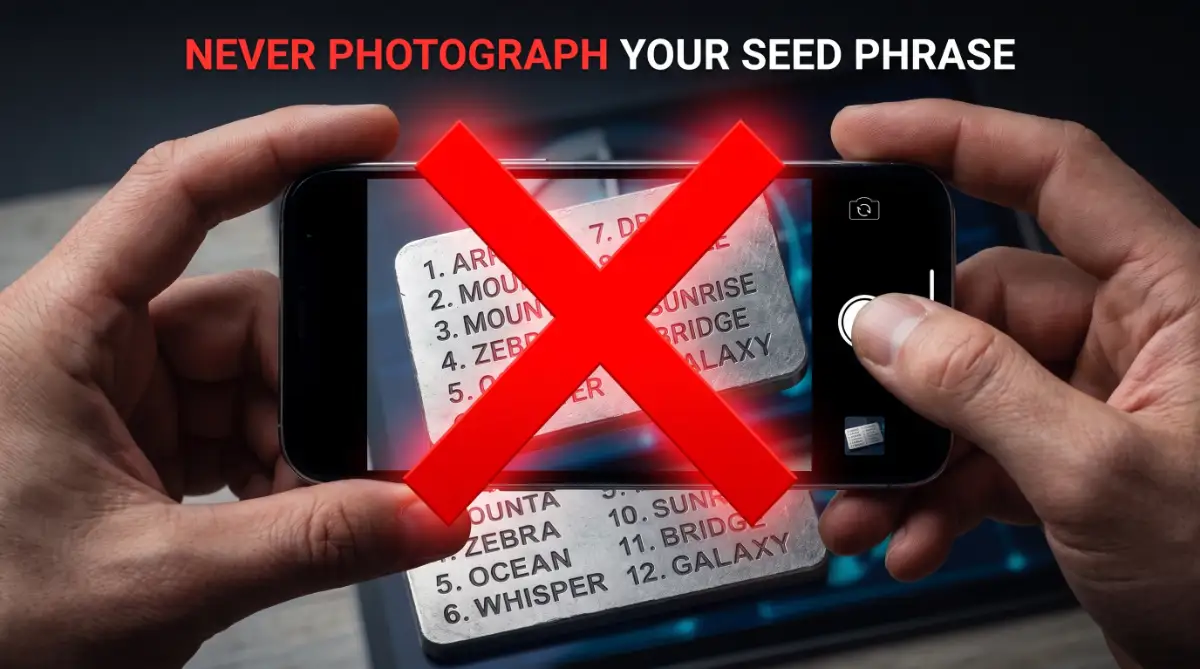
We are conditioned to take photos of important documents with our smartphones. Taking a picture of your physical seed phrase card is a fatal security error.
Smartphones automatically upload photos to public cloud servers. If your cloud account suffers a breach, the attackers immediately run image-recognition software across your entire photo library.
They actively scan for lists of 24 words. Leaving your master key in an online photo album is identical to exposing yourself to hidden privacy leaks in everyday AI automation tools. You hand your most sensitive data to a third-party server and just hope nobody looks at it.
Your Blueprint for Total Asset Protection
You now possess the exact technical clarity to navigate a hardware failure. You understand that a broken plastic device does not equate to a destroyed financial portfolio.
Do not let a blank screen or a forgotten PIN code push you into a panic. Approach the recovery process methodically, exactly how a professional security engineer would.
Your Immediate Action Checklist:
- Locate the Physical Backup: Find the piece of paper or metal plate holding your exact 12 or 24 words. Do not let this paper leave your sight.
- Purchase Authentic Hardware: Order a replacement wallet directly from the manufacturer's official website. Never buy discounted security hardware from third-party auction sites.
- Enter Words Offline: Plug the new device into the wall, not your computer. Enter the words using only the physical buttons on the device itself.
- Verify the Path: If your balance shows zero, calmly open the advanced software settings and select the legacy derivation path option.
Managing your own digital wealth is a massive responsibility. Ignorance of the technical rules will cost you everything you built. This is identical to ignoring hidden dangers in life insurance policies. Avoid these traps. You must read the fine print and understand the mechanics to guarantee your safety net functions properly.
Take a deep breath and start the recovery sequence. Your assets are waiting safely on the blockchain. You simply need to forge a new key to bring them home.
Frequently Asked Questions
Can I recover my crypto if I lost both my hardware wallet and my seed phrase?
No. If the physical device is destroyed and the paper seed phrase is permanently lost, the mathematical keys are gone forever. The assets remain on the blockchain, but no one on earth can access them.
Can I restore a Ledger seed phrase onto a Trezor device?
Yes. Both major manufacturers use the universal BIP39 standard for generating seed phrases. A 24-word phrase created on one brand of hardware can successfully restore your funds on a completely different brand.
Why is my wallet asking for 24 words when I only have 12?
Different wallet models generate phrases of different lengths. When setting up the new replacement device, look closely at the initial prompt. You can usually select an option to "Restore from a 12-word phrase" in the initial setup menu.
Disclaimer: This blog post is for informational and educational purposes only. I am not a certified financial planner, cybersecurity consultant, or legal advisor. Cryptocurrency investments carry extreme risk, and total loss of capital is possible. Always secure your seed phrases offline and consult with a licensed digital asset professional before transferring massive amounts of wealth.